What you need to know:
- Scam websites are fake or malicious sites designed to steal personal data, money, or account access.
- They often look legitimate and use urgency, fear, or attractive offers to push users into quick decisions.
- Common scam website types include phishing pages, fake online shops, scareware alerts, and sweepstakes scams.
- Warning signs include emotional language, poor design, odd grammar, and missing contact or company information.
- If you are unsure about a website, checking it with a trusted detection tool can help confirm whether it is safe.
- Acting quickly after a scam, such as stopping payments, changing passwords, and reporting the site, can reduce damage.
What are scam websites?
Scam websites are any illegitimate internet websites used to deceive users into fraud or malicious attacks.
Scammers abuse the anonymity of the internet to mask their true identity and intentions behind various disguises. These can include false security alerts, giveaways, and other deceptive formats to give the impression of legitimacy.
Although the internet has many useful purposes, some websites are created solely for criminal activity. These sites may attempt identity theft, credit card fraud, or other forms of financial exploitation.

How does a scam website work?
Scam websites work by pretending to be legitimate brands, services, or people to gain your trust.
They use fake reviews, false endorsements, misleading claims, and urgent pop-ups or warnings to pressure you into acting. The goal is to trick you into sharing personal information, payment details, or login credentials.
A website of this nature may be a standalone website, popups, or unauthorized overlays on legitimate websites via clickjacking. Regardless of presentation, these sites work methodically to attract and misguide users.
Attackers using scam websites will typically use these steps to deceive users:
- Bait: Attackers draw internet users to the website through various distribution channels.
- Compromise: Users take an action that will expose their information or devices to the attacker.
- Execute: Attackers exploit the users to misuse their private information for personal gain or to infect their devices with malicious software for various purposes.
While a given scheme may be more complex, most can be distilled to these three basic stages.
A scam website may lure internet users through many communication channels, such as social media, email, and text messaging. Search results are sometimes manipulated through search engine optimization (SEO) methods, leading to malicious sites appearing in top positions.
By appearing as an attractive offer or a frightening alert message, users are more receptive to these schemes. Most scam websites are driven by psychological exploits to make them work.
Understanding exactly how these scams trick you is an essential part of protecting yourself. Let's unpack exactly how they accomplish this exploitation.
How does a scam website exploit you?
At their core, scam websites rely on social engineering, which exploits human judgment rather than technical computer systems.
Scams using this manipulation rely on victims believing that a malicious website is legitimate and trustworthy. Some are deliberately designed to look like legitimate, trustworthy websites, such as those operated by official government organizations.
Scam websites are not always well-crafted, and careful users may notice warning signs. To avoid scrutiny, attackers rely on a key element of social engineering: emotional manipulation.
Emotional manipulation helps attackers bypass natural skepticism by triggering fast, instinctive reactions:
- Urgency: Time-sensitive offers or account security alerts can push you to immediate action before thinking critically.
- Excitement: Attractive promises such as free gift cards or a rapid wealth-building scheme can trigger optimism that may lead you to overlook any potential downsides.
- Fear: False virus infections and account alerts lead to panicked action that often ties in with feelings of urgency.
Whether these emotions work in tandem or alone, they each serve to promote the attacker's goals. However, a scam can only exploit you if it feels relevant or relatable to you. Many variants of online scam sites exist specifically for this reason.
Types of scam websites
Scam websites, like many other scam types, operate under different premises despite sharing similar mechanics. As we detail exactly what types of premises a scam website might use, you'll be better equipped to spot future attempts. Here are some common formats of scam sites:
Phishing Scam Websites
Phishing websites are a popular tool that attempts to present false situations and get users to disclose their private information. These scams often pose as legitimate companies or institutions such as banks and email providers.
Attackers typically bait users to the website with emails or other messages claiming an error or another issue that requires your action to proceed. The scam presents a situation that asks you to provide an account login, credit card information, or other sensitive data. This culminates in the misuse of anything obtained from victims of these attacks.
Online Shopping Scam Websites
As one of the most prevalent schemes, online shopping scam websites use a fake or low-quality online store to collect victims' credit card information.
These scams are troublesome as they can sometimes deliver the products or services to create the illusion of trustworthiness. However, the quality is inevitably subpar. More importantly, it is an uncontrolled gateway to obtain your credit card details for excessive and unpermitted use.
Scareware Scam Websites
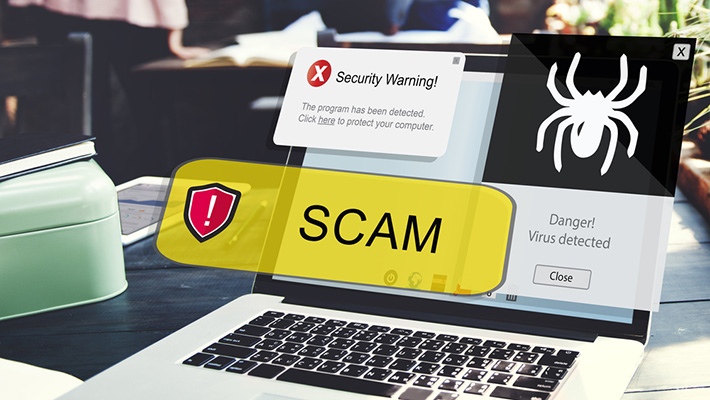
Scareware website scams involve the use of fake security alert popups to bait you into downloading malware disguised as an authentic antivirus program. They do this by claiming your device has a virus or malware infection, fear and urgency may drive you to download a solution.
Owning a real internet security suite would help prevent malware downloads, but users who don't have it may fall prey to this.
Sweepstakes Scam Websites
Sweepstakes scams involve giveaways of large prizes that entice users to engage, ultimately providing financial information to pay a false fee.
This fee may be presented as taxes on the prize or a shipping charge. Users who provide their information become vulnerable to fraud and never receive the prize.
Examples of scam websites
Past internet scams have frequently involved the use of dedicated scam websites in their efforts. To help you spot future attempts, here are some notable examples:
Fake FBI reporting websites
In 2025, the FBI warned that scammers have built fake versions of the official Internet Crime Complaint Center (IC3) site to steal personal and financial information. These fraudulent sites closely mimic the real portal but are designed to harvest data like names, addresses, emails, and banking details from unsuspecting visitors. Law enforcement emphasizes making sure users only submit reports on the official IC3 site to avoid credential theft.
Fake travel booking scam websites
In 2025, cybersecurity researchers identified a widespread phishing campaign in which attackers set up more than 4,300 fake travel and hotel booking websites that impersonated well-known platforms such as Booking.com, Expedia, Agoda, and Airbnb. These sites were distributed via phishing emails urging recipients to confirm reservations or pay deposits, but instead of securing a booking, visitors were tricked into entering payment card information that was then harvested by the attackers.
How to identify fake websites?
Fortunately, there are several simple ways to protect yourself from scam websites to ensure your family and your wallet stay safe as you navigate the World Wide Web.
By following the tips below, you can better protect against these threats:
- Emotional language: Does the website speak in a way that may heighten your emotions? Proceed with caution if you feel an elevated level of urgency, optimism, or fear.
- Poor design quality: It may sound a little obvious but look closely at how a site is designed. Does it have the type of design skill and visual quality you would expect from a legitimate website? Low-resolution images and odd layouts can be a warning sign of a scam.
- Odd grammar: Look for things like spelling mistakes, broken or stilted English, or really obvious grammar errors, such as the incorrect use of plural and singular words.
- Absence of identifying web pages: Additionally, a proper business website should have basic pages, such as a "Contact Us" page and an "About Us" page. If you're uncertain, give the business a call. If the number is a mobile phone or the call isn't answered, be on guard. If a business seems to want to avoid verbal contact, there's probably a reason.
How to check if a website is legit?
Spotting warning signs is a useful first step, but it does not always provide a clear answer. If you’re unsure whether a website is safe, checking it with a reliable detection tool can help you make a more informed decision before you interact with it. Scam websites are often designed to look professional and trustworthy, which means visual cues alone aren’t always enough.
One practical way to verify a website is to use an online lookup tool that analyzes the site against known threat intelligence and reputation data. For example, the Open Threat Intelligence Portal (OpenTIP) allows you to paste a website address and see whether it has been linked to scams, phishing attempts, or other malicious activity.
How website scam detection works
Website detection tools analyze factors that aren’t visible to regular users, including:
- Whether the site appears in known scam, phishing, or malware databases
- The age and reputation of the domain, as many scam sites are newly created
- Technical and hosting patterns commonly associated with fraudulent activity
- Previous reports or links to malicious behavior
By combining these signals, the tool provides a clear indication of whether a website has a history of abuse or shows signs commonly linked to scam websites.
Why checking a website first matters
Scam websites often rely on urgency to push people into quick decisions. Taking a moment to verify a site using a detection tool gives you an objective second opinion before you enter personal details, download files, or make a payment.
If something about a website doesn’t feel right, checking it first can help you avoid unnecessary risk and make safer choices online.
How to avoid scam websites?
Avoiding scam websites requires moving through the internet with caution and care. While you may not be able to completely avoid these sites, you may be able to behave more effectively to keep them from affecting you.
Here are some ways you can stay away from these scams.
Check the domain name
Sites set up to spoof a legitimate site often use domain names that look or sound similar to legitimate site addresses. For example, instead of FBI.gov, a spoof site might use FBI.com or FBI.org. Pay special attention to addresses that end in .net or .org, as these types of domain names are far less common for online shopping sites.
If you want to dig a little deeper, you can check to see who registered the domain name or URL on sites like WHOIS. There's no charge for searches.
Be careful how you pay
One good practice is to never pay for anything by direct bank transfer. If you transfer funds into a bank account and the transaction is a scam, you will never get a cent of your money back. Paying with a credit card offers you some degree of protection should things go wrong.
Too good to be true?
The promise of luxuries beyond your wildest dreams in exchange for a moment of your time or minimal effort is a successful fraudster practice. Always ask yourself if something sounds too good to be true.
Is the site selling tablets, PCs, or designer trainers for what is clearly a hugely discounted, unbelievable price? Is a health product's website promising larger muscles or extreme weight loss in just two weeks? What about a fool-proof way to make your fortune? You can't go wrong if you assume something that sounds too good to be true is not true.
Do an internet search
If you still can't make up your mind about a website, do some searching to see what other people on the internet are saying about it. A reputation — good or bad — spreads widely online. If others have had a bad experience with a website, they are probably talking about it online. Look for reviews on sites such as Trustpilot, Feefo, or Sitejabber to see if a site has scammed anyone in the past.
If you can't find a poor review, don't automatically assume the best, as a scam website could be new. Take all the other factors into consideration to make sure you aren't the first victim.
Always use a secure connection
When you visit a legitimate site that asks for financial or secure data, the company name should be visible next to the URL in the browser bar, along with a padlock symbol that signifies you're logged into a secure connection. If you don't see this symbol or your browser warns you the site doesn't have an up to date security certificate, that is a red flag. To increase your level of personal protection, always use first-rate security software to ensure you have an added layer of protection.
Also, take nothing for granted and don't just click links to open a web site. Instead, type in the web address manually or store it in your bookmarks. Malicious criminals will often buy domain names that sound and look similar at first glance. By typing them in yourself or storing the one you know is accurate, you give yourself added protection.
Another good option is to use an Internet Security feature like Safe Money to provide an added bit of reassurance when paying online.
What to do if you become a victim of a scam website?
If you fall victim to one of these malicious sites, you'll want to take immediate action. The chance to limit the attacker's ability to exploit you is still within your hands. These are a few ways you can reduce the damage of a successful scam:
- Stop communicating with the scammer if you've been in touch.
- Find and halt any pending or ongoing payments to scammers.
- Cancel any compromised credit cards to prevent further unwanted charges.
- Update your most essential passwords and PINS, including banking and email accounts.
- Freeze your credit to keep scammers from misusing your identity for new account fraud.
- Report the scam to any service providers and institutions that may be able to help.
When attempting to stop future scams to yourself and others, notifying the appropriate authorities is crucial.
How to report scam websites?
Knowing how to report a website is just as important as doing it, so be sure to information yourself.
Above all else, be sure to report the scamming incident to any affected services like:
- Your banking institution and/or credit card company.
- The United States Internal Revenue Service (IRS).
- Online account providers, such as Google and Apple.
- E-commerce stores, like Amazon and eBay.
Report any attempted or successful website scams to the Internet Crime Complaint Center (IC3), or econsumer.gov for international scams.
Google works to avoid promoting malicious results, but be sure to report the site to help their efforts as well.
Finally, be sure to reach out to your local police as they may be able to investigate locally sourced scams of this nature.
Kaspersky Internet Security received two AV-TEST awards for the best performance & protection for an internet security product in 2024. In all tests Kaspersky Internet Security showed outstanding performance and protection against cyberthreats.
Related Articles:
- How can you protect yourself from malicious websites?
- What are the most common online scams to watch for?
- What should you know about romance scams in online dating?
- How can I report a website that's fraudulent or harmful?
Related Products:
FAQ
What happens if you click a scam website?
Clicking a scam website can expose your device and personal data to immediate risk. The site may steal login credentials, collect payment information, install malware, or track your activity without your knowledge.
What are common scammer phrases?
Common scammer phrases create urgency, fear, or excitement to force quick action. Examples include “Your account has been compromised,” “You’ve won a prize,” “Act now,” “Payment by gift cards only,” “Don’t tell anyone,” and “Verify your details”.